 PhotoEscape
Fix Google Takeout dates on Mac
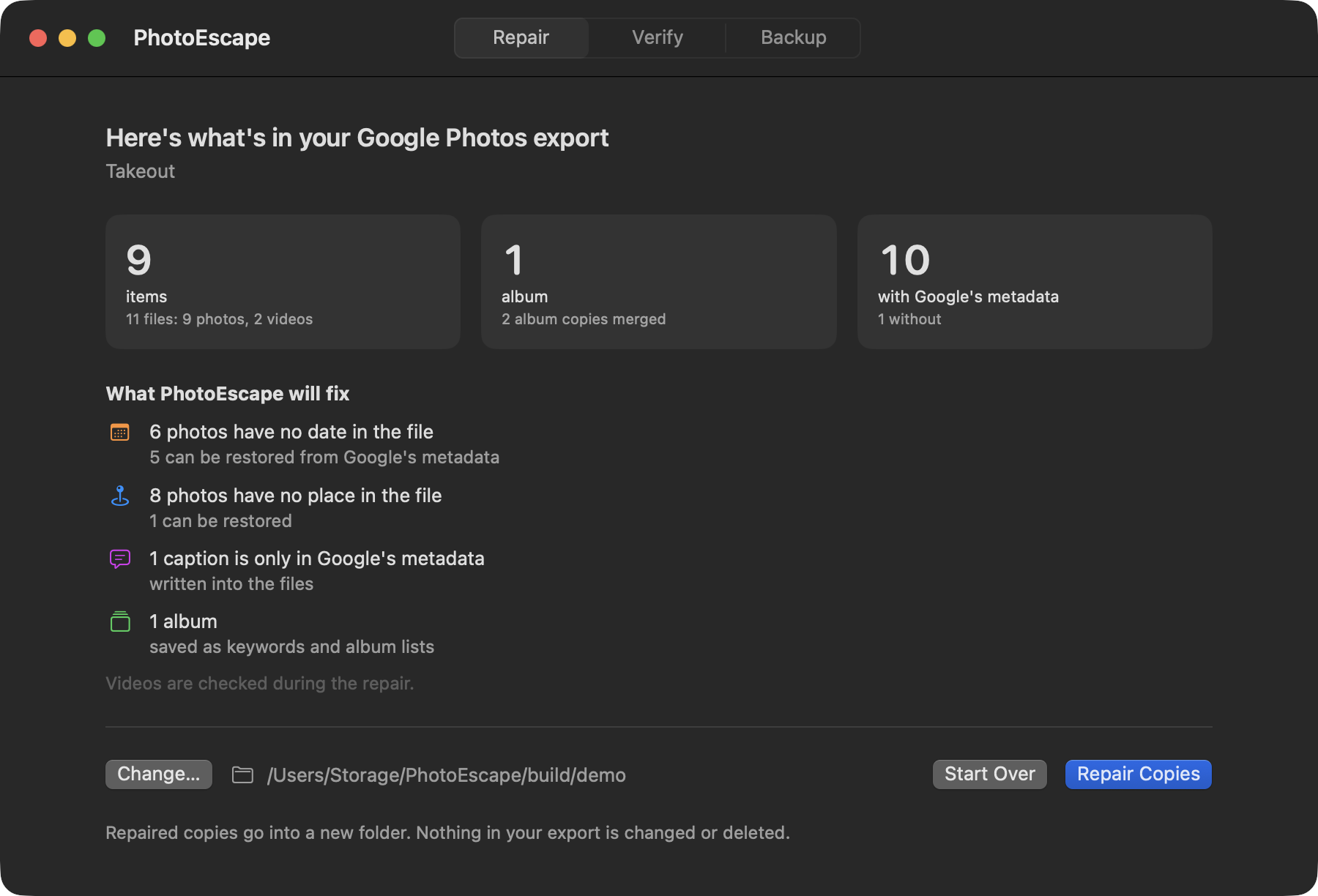
Takeout stores each photo's date in a separate .json file. PhotoEscape writes it back into the photo, time zone included.
Coming soon. Free scan, $19 to unlock. macOS 14 or later.
Why every photo says it was taken today
Google Photos keeps your edits, places and captions in its own database, not in the photo files. Takeout hands you the files plus a metadata file for each one, named something like IMG_1234.JPG.supplemental-metadata.json.
Apple Photos and most other apps never open those .json files. So any photo whose date only lived in Google (screenshots, downloads, photos sent over chat apps, dates you corrected) arrives undated.
Matching each photo to its .json file is harder than it looks. Google cuts long names short (.supplemental-metad.json), moves the (1) of duplicate names to the end, and gives edited copies the original's file. PhotoEscape handles all of these, across every zip part.
What it puts back
Dates, with the right time zone
Google stores times in UTC. PhotoEscape works out the local time from the photo itself, where it was taken, or photos taken around it, and labels any guess.
Places
Locations from the .json file go back into the photo, including ones you corrected in Google Photos.
Captions
Descriptions you typed in Google Photos are written into the photo, where Apple Photos shows them.
Your albums, in Apple Photos
Takeout copies a photo into every album it's in. PhotoEscape keeps one copy and rebuilds your albums in Apple Photos with one click.
Live Photos, paired again
The still and its short video stay together and come back as one Live Photo in Apple Photos.
Straight from the zips
Select all the takeout-....zip parts at once. Nothing to unzip, and nothing in the zips is changed.
Your export stays exactly as it was.
PhotoEscape only reads it. The repaired photos are new copies in a new folder.
- A change log for every fileWhat changed, the value before and after, and where it came from.
- A list of what it couldn't fixPhotos with no date anywhere are kept and listed, never given a made-up one.
- No Google sign-inYou download your Takeout; PhotoEscape works on the files on your Mac.
Takeout questions
Which Takeout settings should I choose?
Select only Google Photos, choose .zip and the largest file size. Download every part into the same folder, then select them all in PhotoEscape.
Do I need to unzip anything?
No. PhotoEscape reads the zip parts directly, including very large ones. An unzipped Takeout folder works too.
Does it change the original photos?
No. It writes repaired copies into a new folder. Image and video data are copied as-is; only the date, place, caption and keyword information is added.
Can it add the photos to Apple Photos with my albums?
Yes. Add to Photos creates a PhotoEscape folder in your library with your Google albums inside, plus one album of everything it added. Running it again won't add duplicates.
Some photos are still missing from my export. Can PhotoEscape find them?
No. It can only repair what Google sent. Locked Folder items and photos other people shared with you (unless you saved them) aren't included in Takeout.