 PhotoEscape
Fix your Snapchat Memories export
Snapchat's export separates captions and stickers from your photos and loses their dates. PhotoEscape puts both back.
Coming soon. Free scan, $19 to unlock. macOS 14 or later.
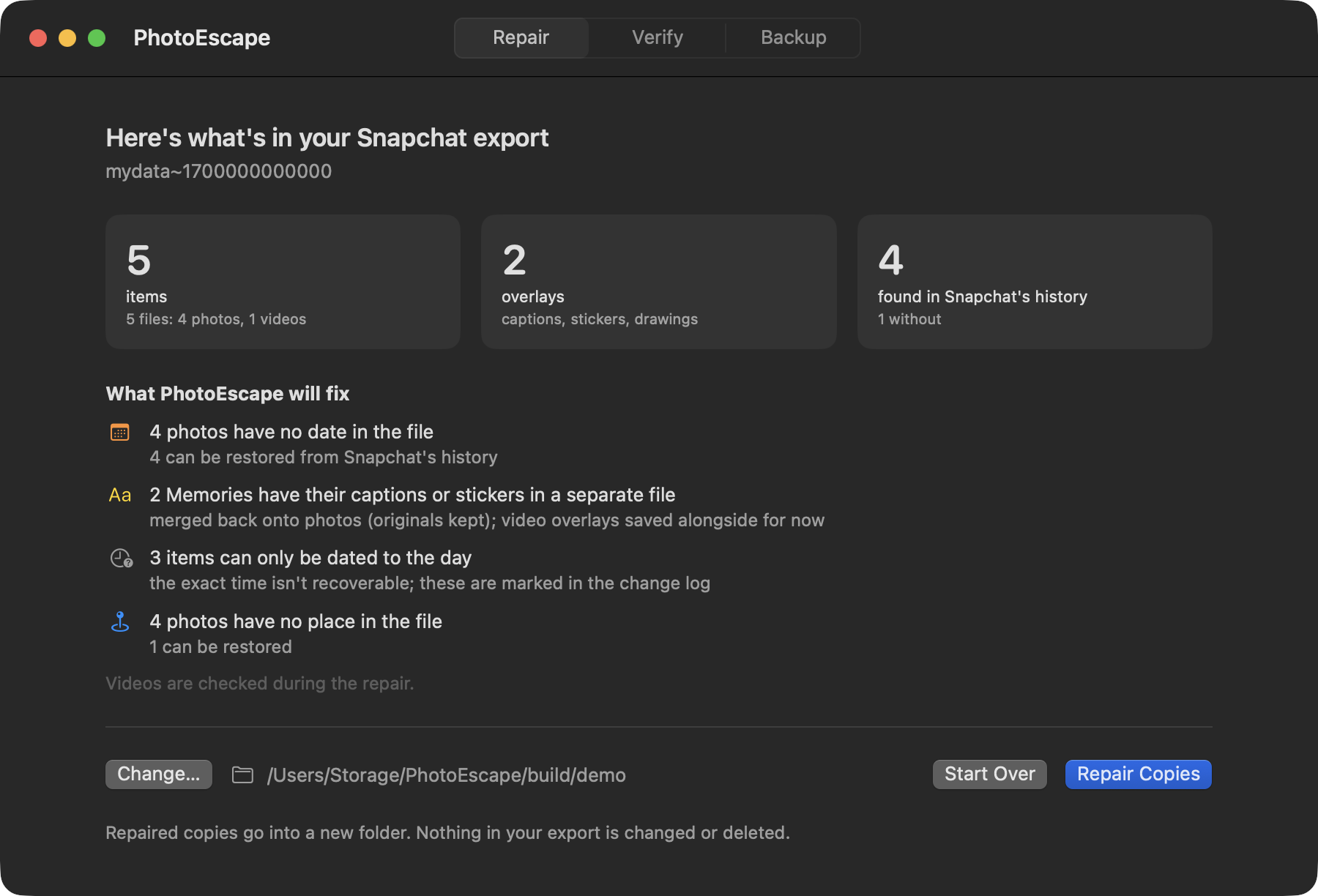
Your Memories come out in pieces
When you download your data, each Memory arrives as a plain photo or video, plus a separate transparent image holding the caption, stickers and drawings you added. The date and place of each Memory are only in a history file next to them.
Put those photos into Apple Photos as they are and the captions are gone and everything is dated the day you downloaded it.
PhotoEscape ties each file back to its entry in Snapchat's history: by its ID where the export includes one, otherwise by date. When several Memories share a day and can't be told apart, it keeps the right day and tells you the time may be off.
What it puts back
Captions and stickers
Merged back onto the photo, as you saw it in Snapchat. The photo without them is kept too, in its own folder.
The day it was taken
Dates come from Snapchat's history, set to the local time where the Memory was taken.
Places
Where the history has a location, it goes into the photo, so it shows up on the map in Apple Photos.
One album in Apple Photos
Add to Photos puts everything in a Snapchat Memories album inside a PhotoEscape folder.
Videos: dates and places are restored, but captions and stickers aren't merged into videos yet. They're saved next to each video so nothing is lost, and merging is planned for an update.
Your export stays exactly as it was.
PhotoEscape only reads it and writes repaired copies to a new folder.
- No Snapchat loginIt never signs in to Snapchat or touches your account. You download your data; it works on the files.
- Every change written downA change log shows how each Memory was matched and dated.
- Originals keptPhotos without their overlay are saved alongside the merged ones.
Snapchat questions
How do I download my Memories?
Request your data from Snapchat's settings, under My Data, with Memories included. Snapchat emails you when the download is ready. Save the zip files, then select them all in PhotoEscape.
Does it work with older exports that only had download links?
No. PhotoEscape works with exports that include the photos and videos themselves. It never downloads from Snapchat on your behalf.
Will my My Eyes Only snaps be included?
Only if they're in the export Snapchat gives you. PhotoEscape can only repair what's in the download.
Are the merged photos lower quality?
Merging a caption onto a photo means saving a new image, which PhotoEscape does at high quality. The untouched photo is kept as well, so you always have the original.